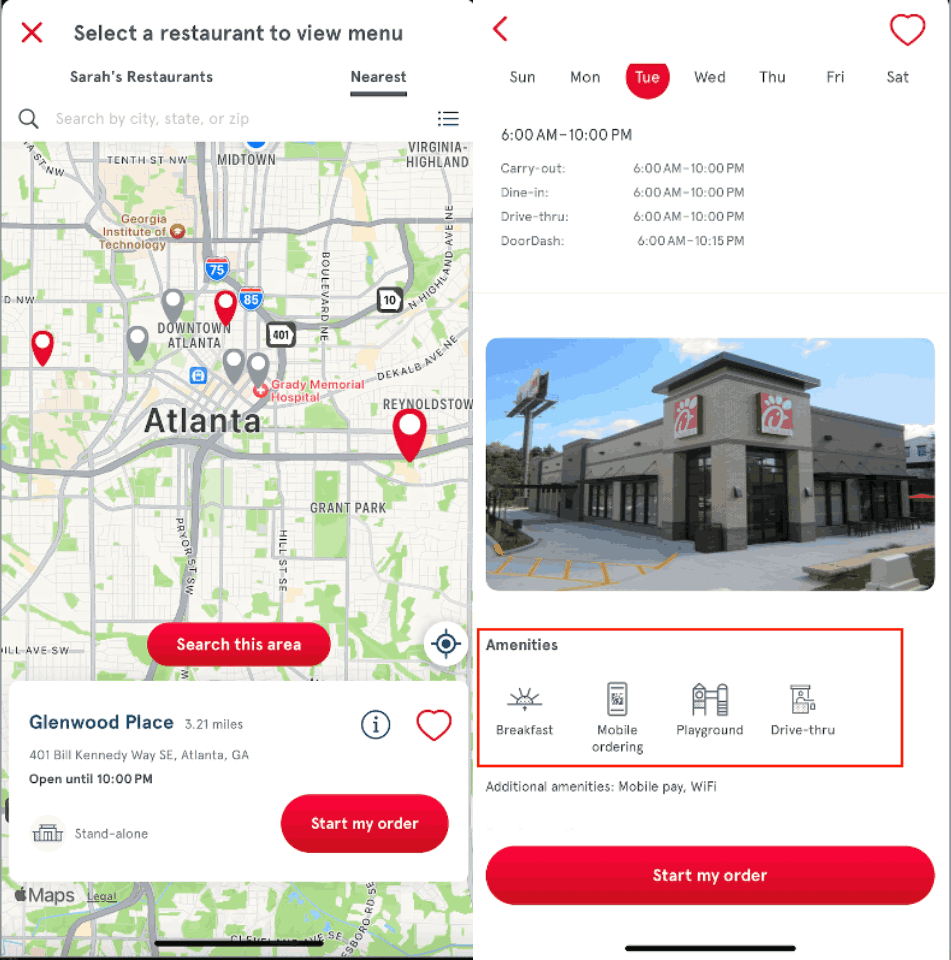
You can find out if a Chick-fil-A Restaurant has a playground online or in the Chick-fil-A App®.
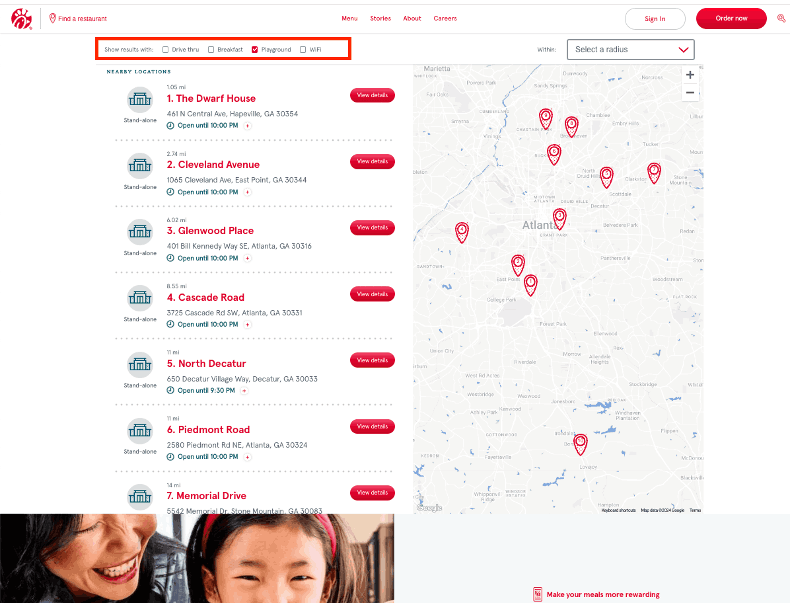
On chick-fil-a.com:
- Search locations, or select “Find a Restaurant” in the top-left corner of your screen (in the drop-down menu if viewing on mobile).
- Select the radius you would like the Restaurant to be in from the right-hand drop-down menu.
- Ensure you’ve checked Playground next to “Show results with.”
On the Chick-fil-A App:
- Select “Pickup” or “Deliver to Me” in the Menu tab.
- Select “Nearest” in the restaurant location list at the top of the screen.
- Click into each location in the Map View and select the information icon to see a list of amenities. Playground will be listed if the selected restaurant has a playground.