You may check a balance by calling the Gift Card Customer Support automated system at 1-888-232-1864 or visit any participating Chick-fil-A restaurant.
If you’ve uploaded your Chick-fil-A Gift Card or a Chick-fil-A eGift Card to your Chick-fil-A One account, you can view the balance either online or on the Chick-fil-A App:
- If checking on the app, open the Chick-fil-A App and select Scan at the bottom of the home screen. Your Chick-fil-A One Digital Gift Card current balance will be displayed under the QR code.
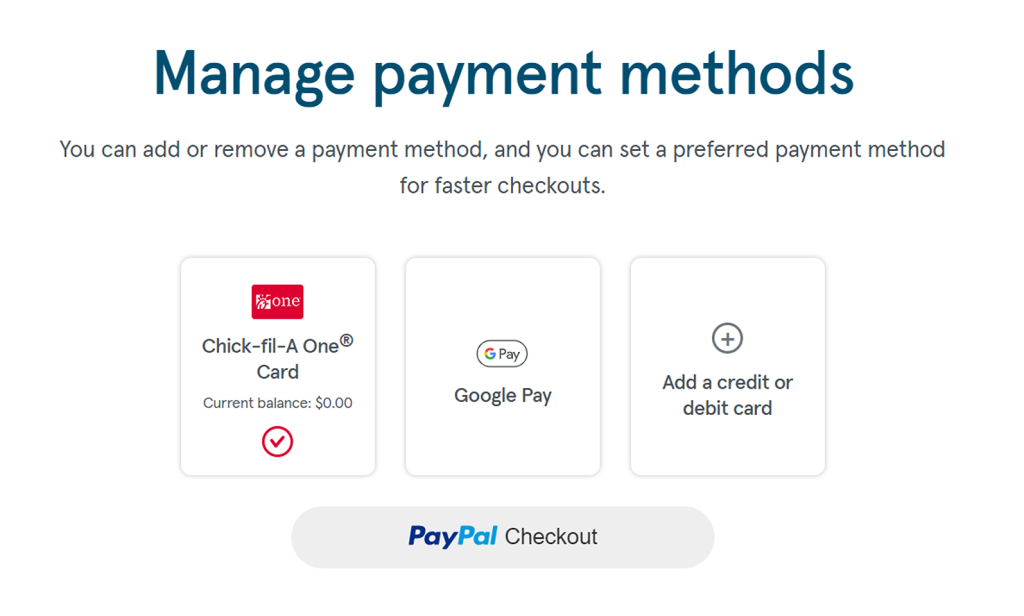
- If checking online, sign in to your Chick-fil-A One Account, click on Account in the top right corner of the screen, select Payments and Subscriptions, and then Manage payment methods. Your current Chick-fil-A One Digital Gift Card balance will be displayed.
When the balance of a Chick-fil-A physical or eGift card is successfully transferred onto the Chick-fil-A App, the card balance is only accessible through the Chick-fil-A One Digital Gift Card on the Chick-fil-A App and the balance no longer exists on the original physical or eGift card.